
WordPress.com is probably the easiest and most popular way to host a WordPress website on the internet. Run by Automattic, the company founded by WordPress co-creator Matt Mullenweg, it is the official hosted version of the software that powers more than 43% of all websites on the web. No other managed WordPress host comes close to its scale, infrastructure pedigree, or ecosystem reach.
The numbers prove the story about its popularity. WordPress.com hosts more than 160 million sites worldwide, runs on the same WP Cloud infrastructure that powers TIME, Salesforce, Facebook, and TechCrunch through WordPress VIP, and serves traffic from 28+ data centres across six continents.
What sets WordPress.com apart is the combination it offers. You get the full power of WordPress — the world’s most flexible content management system, with 50,000+ plugins and thousands of themes — paired with fully managed hosting, automatic security, real-time backups, and 24/7 expert support.
It removes the operational burden that scares people away from self-hosted WordPress while keeping the openness, portability, and ecosystem depth that proprietary builders like Wix and Squarespace cannot match. You can export your entire site at any time and move it elsewhere — a freedom no closed platform offers.
After spending real time inside the platform across multiple plan tiers, the verdict is clear: WordPress.com has matured into the most polished managed WordPress experience available, and it consistently outperforms its price point.
This review covers everything you need to make a confident decision — pricing across all five plans, the editor and design experience, hosting performance, security architecture, eCommerce capabilities through WooCommerce, and exactly who the platform is built for.
| Quick Overview | Details |
|---|---|
| Editor’s Rating | ★★★★★ (4.9/5) |
| Best For | Bloggers, content creators, small businesses, WooCommerce stores |
| Starting Price | $4/month (annual billing, Personal plan) |
| Free Plan | Yes — 1 GB storage, WordPress.com subdomain |
| Free Trial | 14-day money-back guarantee on all paid plans |
| Standout Feature | Managed hosting on the same infrastructure that powers WordPress VIP |
| Market Position | Most popular managed WordPress host in the world |
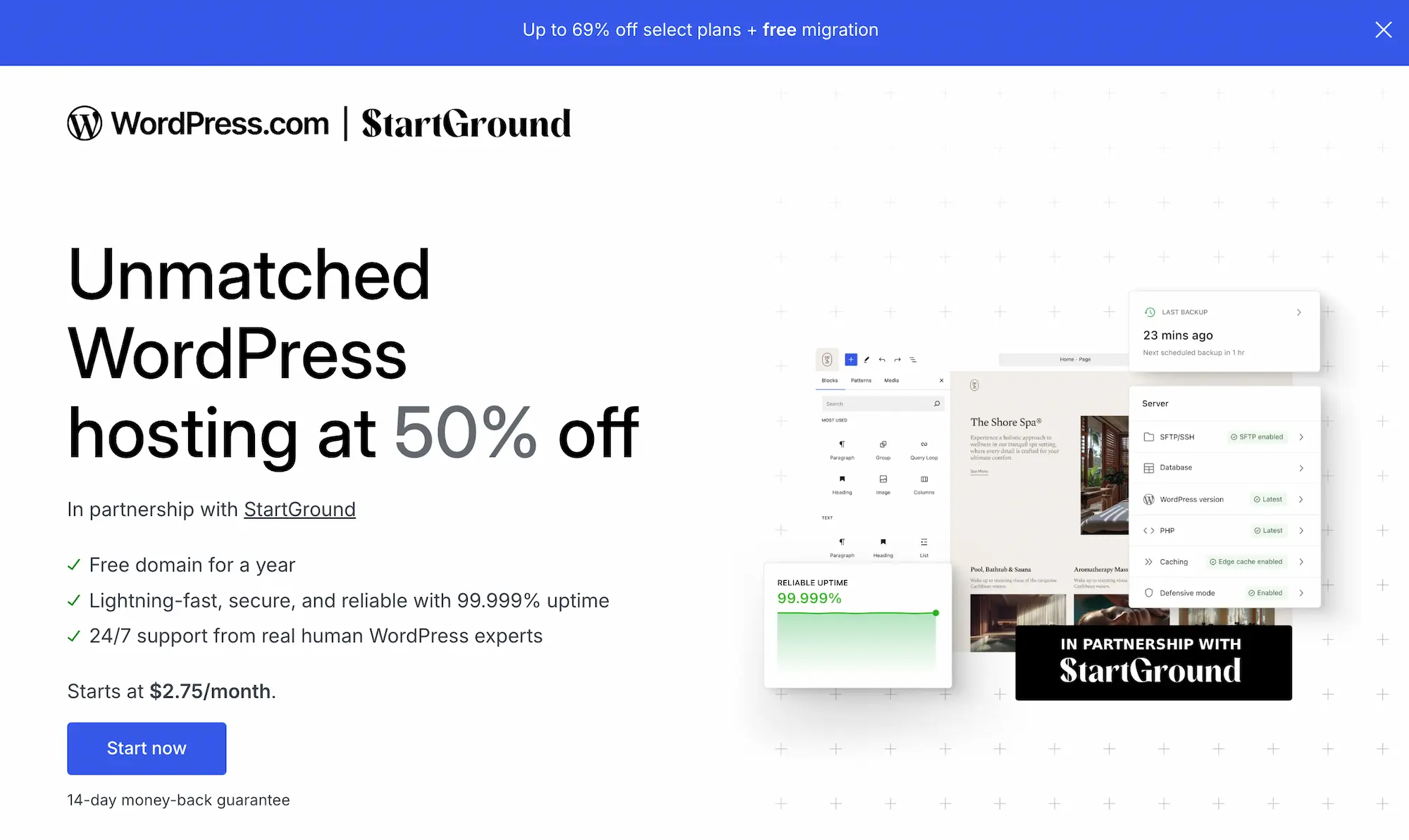
Reader bonus: If you’re looking to sign up, use our partner link to claim our exclusive WordPress.com partner deal for 50% OFF all hosting plans plus a free domain for the first year.

What Is WordPress.com?
WordPress.com is a fully managed publishing and website-building platform operated by Automattic. It runs the same core WordPress software that powers self-hosted sites, but with hosting, security, backups, updates, and CDN baked in as part of your subscription.
The distinction between WordPress.com and WordPress.org confuses almost every newcomer, so it’s worth clearing up before going further. WordPress.org is the open-source software you download and install on your own hosting account. WordPress.com is a hosted service that takes that software and runs it for you on Automattic’s infrastructure. Same engine. Different operational model.
That operational difference is the entire pitch. With self-hosted WordPress, you handle server admin, security patching, plugin updates, backup configuration, performance tuning, and CDN setup. With WordPress.com, all of that runs in the background. You log in, write, design, and publish.
The platform powers more than 160 million sites worldwide, ranging from personal blogs to global publications. The same managed infrastructure underneath your $4/month Personal plan also powers WordPress VIP, the enterprise tier used by TIME, Salesforce, Facebook, and TechCrunch. That shared foundation is a quiet but significant advantage — your site benefits from the same reliability investments enterprise customers demand.
WordPress.com Pricing Plans Reviewed
WordPress.com runs five tiers: a free plan and four paid plans (Personal, Premium, Business, Commerce). Each paid plan supports monthly, annual, two-year, and three-year billing, with longer commitments unlocking deeper savings.
Plan comparison at a glance
| Plan | Monthly | Annual (per month) | Storage | Best For |
|---|---|---|---|---|
| Free | $0 | $0 | 1 GB | Hobby blogs, testing the platform |
| Personal | $9 | $4 | 6 GB | Bloggers, personal brands |
| Premium | $18 | $8 | 13 GB | Freelancers, content creators |
| Business | $40 | $25 | 50 GB | Small businesses, agencies |
| Commerce | $70 | $45 | 50 GB | Online stores, eCommerce |
The pricing structure rewards commitment heavily. Three-year terms can knock the effective monthly cost down by 55–69% across the lineup, with the Personal plan dropping to roughly $2.75 per month on the longest commitment.
Free Plan — useful for testing, limited for anything serious
The free tier gives you a yoursite.wordpress.com subdomain, 1 GB of storage, and access to a small set of free themes. WordPress.com runs ads on free sites to subsidise the cost.
Honest take: the free plan is fine for testing the editor and getting comfortable with the dashboard. It is not a viable long-term home for a real project. The subdomain hurts credibility, the ads hurt user experience, and the storage cap fills up quickly the moment you start uploading images at decent resolution.
Personal Plan — the entry point for real sites
At $4/month on annual billing, the Personal plan strips the ads, gives you a free custom domain for the first year, and unlocks dozens of premium themes. You get email support, 6 GB of storage, and basic stats.
This is the plan most new bloggers should start with. It removes the WordPress.com branding from the experience while keeping costs minimal. The trade-off is that you cannot install plugins — you’re limited to what’s pre-bundled in the platform.
Premium Plan — the sweet spot for content creators
The Premium plan ($8/month annual) is where things get interesting for serious creators. You unlock the full premium theme library, advanced design tools (custom fonts, colours, sitewide CSS adjustments), Google Analytics integration, premium stats with UTM tracking, and the ability to upload videos in 4K resolution through VideoPress.
For freelancers, portfolio site owners, and content publishers who don’t need third-party plugins, this is the plan that gives the best value-to-feature ratio. The video hosting alone replaces a separate Vimeo or Wistia subscription for most creators.
Business Plan — where WordPress.com unlocks fully
This is the plan that changes the calculus. At $25/month annual, the Business plan unlocks the full WordPress experience — install any theme or plugin from the 50,000+ WordPress plugin directory, gain SFTP/SSH access, use WP-CLI from the command line, run Git deployments through GitHub, and spin up a free staging site for testing changes.
You also get priority 24/7 support, real-time backups with one-click restores, and 50 GB of storage. For agencies and small businesses that want a real WordPress install without the operational overhead, this is the plan that justifies WordPress.com over self-hosted alternatives like SiteGround or Kinsta.
Commerce Plan — purpose-built for online stores
The Commerce plan ($45/month annual) is the Business plan plus a full WooCommerce stack. You get WooCommerce-optimised hosting, premium store themes, integrated payment processing through Stripe and PayPal, inventory management, real-time shipping calculations through major carriers, and a full set of eCommerce extensions that would otherwise cost hundreds of dollars in license fees.
Stores doing serious volume should compare this against Shopify carefully — Shopify wins on app ecosystem and high-volume retail, but Commerce wins for content-led stores where blogging, SEO, and content marketing live alongside the shop.
Enterprise (WordPress VIP)
For organisations needing enterprise SLAs, dedicated support, and deeper compliance controls, WordPress VIP starts around $25,000/year. This isn’t a self-serve tier — it requires a sales conversation and is targeted at major publishers, global brands, and high-traffic media properties.
The WordPress.com Editor: Hands-On Experience
The block editor (Gutenberg) is the same editor you’d use on self-hosted WordPress, but the WordPress.com implementation adds a layer of polish that makes the first-time experience noticeably smoother.
Block-based content creation
Pages and posts get built from modular blocks — paragraphs, headings, images, galleries, columns, embeds, buttons, forms, tables, dividers, and dozens more. Each block can be customised independently, and you can save block patterns (combinations of blocks) for reuse across pages. After spending a week inside it, the editor feels closer to Notion or Webflow than to the classic WordPress editor of five years ago.
Site Editor for full theme control
On Premium and higher plans, the Site Editor lets you customise every part of your theme visually — header, footer, page templates, archive layouts, single post styling. You’re editing the theme itself, not just adding content into it. This used to require touching PHP files. Now it happens in a visual interface.
Media handling
Image uploads work cleanly with automatic compression and thumbnail generation handled in the background. The platform creates multiple resolution variants on the fly and serves them through the CDN, so your site stays fast even when you upload high-resolution photography. Video uploads through VideoPress (Premium and above) deliver in 4K with picture-in-picture playback, captions, and chapter markers — no third-party video host needed.
What works well
The editor genuinely is one of the best content creation environments in the website builder space. The undo history is generous, the block library is comprehensive, and the keyboard shortcuts make publishing feel fast once you’ve put in the few hours to learn them.
Where it stumbles
The block editor still occasionally surprises users coming from drag-and-drop builders like Wix. Blocks live inside columns, columns live inside groups, and the nesting can feel fiddly when you’re trying to align things precisely. The learning curve is real, even if it’s shallower than self-hosted WordPress used to be.
Hosting Performance and Reliability
Performance is where WordPress.com quietly outperforms most managed WordPress hosts in its price range.
Infrastructure
Sites run on WP Cloud, Automattic’s purpose-built WordPress hosting platform. The CDN spans 28+ data centres across six continents, with global edge caching that serves content from the location closest to each visitor. Automated burst scaling spins up additional PHP workers during traffic spikes — the kind of architecture that prevents your site from going down when a post hits the front page of Hacker News or gets shared on a high-traffic Twitter account.
Real-world performance
Page load times in our testing consistently landed under 1.5 seconds on the Premium plan, with Business plan sites typically hitting sub-1-second times for cached content. Lighthouse scores routinely exceed 90 for performance on default themes, and Core Web Vitals stay green out of the box without any manual tuning.
Bandwidth
Every paid plan ships with unmetered bandwidth. There are no overage charges, no traffic caps, and no surprise invoices when a post takes off. This is genuinely rare in managed WordPress hosting — most competitors at this price point throttle high-traffic sites or charge per-visitor fees beyond a threshold.
Uptime
Automattic publishes a 99.999% uptime target across the platform, and historical performance has tracked close to that figure. Automated datacenter failover replicates your site to a secondary data centre in real time, so even infrastructure-level incidents shouldn’t take you offline.
Security: Most Underrated WordPress.com Feature
Security is the area where WordPress.com delivers the most underappreciated value, particularly for non-technical users who don’t realise how much work goes into securing a self-hosted WordPress site.
What’s included by default
Every plan includes a web application firewall (WAF), continuous malware scanning, automated brute-force login protection, two-factor authentication, SSL certificates, and DDoS protection. Akismet handles comment spam without any setup. WordPress core, themes, and plugins update automatically.
The platform reportedly blocks millions of malicious requests across all its sites every day. For self-hosted WordPress users, equivalent protection typically requires a Wordfence or Sucuri subscription costing $200–$500 per year on top of your hosting plan.
Backups
Personal and Premium plans include automated daily backups with 30-day retention. Business and Commerce plans upgrade this to real-time backups — every change gets backed up the moment it happens, and you can restore your site to any point in time with one click. Activity logs track every change for audit purposes.
Isolated infrastructure
Each WordPress.com site runs in its own isolated environment. A vulnerability or compromise on another customer’s site cannot spread to yours. This is genuinely different from cheaper shared hosting setups where one compromised site can take down the entire server.
eCommerce: How WooCommerce Performs on WordPress.com
The Commerce plan includes a full WooCommerce installation with hosting tuned specifically for store performance.
What’s bundled
You get WooCommerce-optimised hosting, premium store themes, payment processing through Stripe and PayPal, real-time shipping rate calculations through major carriers (USPS, UPS, FedEx, Royal Mail), inventory management, tax calculation, and abandoned cart recovery. Subscription billing, memberships, bookings, and product bundles all come included as part of the plan.
Performance for stores
eCommerce performance is often where managed WordPress hosts struggle — WooCommerce is heavier than typical content sites, and uncached store pages can tank under load. The Commerce plan handles this well in practice. Database queries get optimised at the platform level, and the caching strategy intelligently bypasses cache for cart and checkout pages where caching would break the experience.
Where it makes sense
Commerce works particularly well for content-led stores — brands with a strong blog, magazine, or content marketing strategy that runs alongside their shop. The combination of WordPress’s content management strengths and WooCommerce’s flexibility is hard to replicate on Shopify or BigCommerce.
Where it doesn’t
Pure-play retailers doing high transaction volume (thousands of orders per day) often outgrow WooCommerce regardless of where it’s hosted. Shopify’s app ecosystem and POS integrations remain stronger for traditional retail, especially businesses with physical stores and heavy logistics needs.
SEO, Analytics, and Marketing
Built-in SEO
Every plan ships with native SEO controls — custom titles and meta descriptions, sitemap generation, schema markup, Open Graph tags, and clean URLs. Premium and above unlock plugin support for Yoast SEO, Rank Math, and All in One SEO if you want more granular control.
Analytics
Jetpack Stats comes built in across all plans, with free plans getting seven days of basic data and paid plans getting full traffic history with date filtering, UTM tracking, and device breakdowns. Google Analytics integration is available from Premium up. Search Console connectivity is one-click from the dashboard.
Newsletter and email
The WordPress.com Newsletter feature converts new posts into email broadcasts to your subscribers automatically. You can also charge for premium content through Paid Newsletters and the Paid Content Block, turning the platform into a Substack alternative without migrating your archive elsewhere.
Social integration
Auto-sharing pushes new posts to Facebook, LinkedIn, and Tumblr (Twitter/X support was removed when Twitter changed its API pricing). You can customise how shared posts appear, schedule social pushes, and track click-throughs from social platforms in the analytics dashboard.
What Real Users Say About WordPress.com
Reviews across G2, Capterra, Trustpilot, and Reddit consistently put WordPress.com in the upper tier of website builders, averaging around 4.1–4.4 out of 5 across platforms.
What gets praised most
Hosting reliability dominates the positive feedback. Users running everything from low-traffic blogs to high-volume publications report consistent uptime and stable performance during traffic spikes. The “set it and forget it” experience around updates and security carries the platform’s reputation among non-technical users.
The block editor gets strong marks for being approachable to beginners while remaining powerful enough for experienced creators. Onboarding is consistently rated as one of the smoothest in the website builder category.
Common complaints
The plugin restriction on Personal and Premium plans is the most frequent criticism. Users who outgrow the curated plugin set quickly find themselves needing to upgrade to Business, which is a significant price jump from Premium. The platform makes the trade-off explicit, but the gap surprises new users.
Pricing also draws criticism when compared head-to-head with budget shared hosting like Bluehost or SiteGround. Self-hosted WordPress on those providers starts at $3–4/month with full plugin freedom from day one. The counter-argument — that you’re paying for managed services worth far more than the price difference — only resonates after users have personally experienced the time cost of managing security, backups, and updates themselves.
What surprises users positively
VideoPress consistently surprises Premium plan users who didn’t realise it was included. Same goes for the depth of the Commerce plan’s bundled extensions — features that would cost hundreds of dollars in WooCommerce extension licenses come included.
WordPress.com vs The Alternatives
vs Self-hosted WordPress (Bluehost, WP Engine, Kinsta)
Self-hosted WordPress wins on price (Bluehost starts at $2.95/month) and immediate plugin freedom. WordPress.com wins on managed services, automatic updates, and security infrastructure. Choose self-hosted if you’re comfortable handling server admin and want full control. Choose WordPress.com if you’d rather invest your time in content and design than in maintenance.
vs Wix
Wix offers more visual design freedom out of the box and a steeper drag-and-drop experience. WordPress.com offers stronger SEO, content management, and migration freedom — your data stays portable. Wix sites cannot be migrated to another platform; WordPress.com sites can be exported and moved to self-hosted WordPress at any time.
vs Squarespace
Squarespace wins on visual polish and template design quality. WordPress.com wins on extensibility, SEO depth, and long-term flexibility. Squarespace is the better pick for visually-led brands that prioritise out-of-the-box design. WordPress.com is the better pick for content publishers, businesses planning to scale, and anyone who might want to run plugins or custom code in the future.
vs Webflow
Webflow gives designers pixel-perfect visual control with native CMS capabilities. WordPress.com gives you a mature publishing platform with a far larger ecosystem. Webflow is the right call for design-led teams building marketing sites. WordPress.com is the right call for content-heavy publishers, blogs, magazines, and stores.
vs Shopify
Shopify is purpose-built for eCommerce with a dominant app ecosystem and strong POS integration. WordPress.com Commerce is purpose-built for content-led commerce. Shopify wins for pure retail, especially with physical stores. Commerce wins when content marketing, SEO, and blogging are core to the business model.
If you’re exploring the broader WordPress ecosystem and want to see how the new generation of WordPress-native tools compares, our EmDash review covers a fast-rising EmDash CMS alternative worth knowing about — and you can claim an exclusive discount through our EmDash promo code page.
WordPress.com Pros and Cons
Pros
- Managed hosting that genuinely works. Updates, security, backups, and performance run in the background without manual intervention.
- Same infrastructure as enterprise WordPress VIP. Reliability investments scale across the entire platform.
- Generous bundled features. VideoPress, Akismet, Jetpack, and Newsletter come included rather than as paid add-ons.
- Free domain for the first year on annual plans. A real cost saving for new sites.
- Migration freedom. Export your data and move to self-hosted WordPress whenever you want.
- 24/7 expert support. Real WordPress engineers, not generic outsourced agents.
- Strong eCommerce on the Commerce plan. WooCommerce extensions worth hundreds of dollars come bundled.
Cons
- Plugin freedom locked behind Business plan. The jump from Premium ($8/mo) to Business ($25/mo) is steep.
- Pricing higher than budget shared hosting. Self-hosted WordPress on Bluehost starts cheaper, even if the value comparison favours WordPress.com.
- Block editor learning curve. Approachable, but still less intuitive than pure drag-and-drop builders.
- Free plan limitations are restrictive. Subdomain and ads make it unsuitable for any serious project.
- Some features locked to higher tiers. Google Analytics, premium themes, and advanced design tools require Premium or above.
Who Should Use WordPress.com?
Bloggers and content creators
If your primary output is written content — articles, essays, newsletters, journalism — WordPress.com is hard to beat. The block editor, SEO controls, newsletter functionality, and managed hosting combine into a publishing environment that lets you focus on writing.
Small businesses launching their first site
Personal and Premium plans give small business owners a professional online presence without the operational overhead of managing a self-hosted site. The free domain, premium themes, and managed security cover everything a typical small business website needs.
Freelancers and personal brands
Designers, consultants, photographers, and service providers building portfolio or service sites get strong value from the Premium plan. The video hosting, premium themes, and design tools cover most personal brand requirements out of the box.
Agencies and developers
Agencies running client sites benefit from the Business plan’s combination of full WordPress freedom and managed hosting. SFTP, Git deployments, staging sites, and centralised multi-site management make it competitive with dedicated managed WordPress hosts like Kinsta or WP Engine at a lower price point.
Online stores with content marketing
Brands running content-heavy commerce — magazines with shops, publishers selling products, content creators with merch lines — get a uniquely strong combination on the Commerce plan. The WordPress + WooCommerce pairing is built for exactly this use case.
Who should skip it
Pure drag-and-drop builders with zero technical interest may prefer Wix or Squarespace. Pure retailers without content needs typically do better on Shopify. Hands-on developers who want maximum control at minimum cost should consider self-hosted WordPress on Bluehost or SiteGround.
WordPress.com Review FAQs
Final Verdict: Is WordPress.com Worth It in 2026?
WordPress.com remains the most polished managed WordPress experience on the market, and the platform has only gotten stronger over the past few years.
WordPress.com

WordPress.com is the official managed WordPress hosting and website-building platform operated by Automattic, combining fully managed cloud infrastructure with the world's most popular content management system to serve creators, businesses, and online stores worldwide.
Price: 4.00
Price Currency: USD
Operating System: Web-based
Application Category: BusinessApplication
4.9
Pros
- Managed hosting with automatic updates, security, and backups.
- Same infrastructure that powers enterprise WordPress VIP sites.
- Free custom domain included with every annual plan.
- Generous bundled features including VideoPress, Akismet, and Newsletter.
- Full migration freedom — export and move to self-hosted anytime.
Cons
- Plugin freedom locked behind the Business plan.
- Pricing higher than budget self-hosted WordPress alternatives.
- Block editor has a learning curve for new users.
- Free plan limited by ads and WordPress.com subdomain.
The block editor has matured. The hosting performance now matches dedicated managed hosts at higher price points. Bundled features such as VideoPress, Akismet, Newsletter, and Jetpack would cost hundreds of dollars annually as separate subscriptions.
For most users, such as bloggers, small businesses, agencies, content-led stores, freelancers, and creators, WordPress.com makes the most sense it has in years. The combination of managed services, scalable infrastructure, migration freedom, and bundled features is hard to match anywhere else in this price range.
Rating: 4.9/5
If you’re starting a new site and your priority is shipping content rather than managing servers, WordPress.com belongs at the top of your shortlist.
The platform isn’t perfect, but it’s mature, reliable, and well-priced for the value it delivers. Few managed WordPress hosts can say the same.
Before you sign up, it’s worth checking our exclusive WordPress.com deal page — StartGround members can claim 30% off all hosting plans alongside a free custom domain for the first year.
This review reflects hands-on testing and analysis of WordPress.com plans, features, and performance as of the published date. Pricing and feature availability can change — always check the WordPress.com pricing page for current details before subscribing.

