CapCut Promo Code (2026): Get 7 Days Free + Save 30% Deal

Written By:
Pradeep Singh
Last Updated: July 13, 2026
Disclosure: This post may contain affiliate links, meaning if you decide to make a purchase via my links, I may earn a commission at no additional cost to you. See my disclosure for more info.
If you create video content for your business, brand, or social media channels, you already know how much time and effort goes into producing polished clips. CapCut Pro gives you access to AI-powered editing tools, premium templates, and professional effects that speed up the entire process. StartGround has partnered with CapCut to bring you an exclusive deal that unlocks a 7-day free Pro trial and saves you up to 30% on your subscription.
| CapCut StartGround Deal | Details |
|---|---|
| Partner Promo Code | Direct Link |
| Offer / Discount | 7 days free Pro trial + up to 30% off monthly and yearly plans |
| Eligibility | New CapCut Pro subscribers |
| Redemption Method | Automatically applied via the StartGround partner link |
CapCut is developed by ByteDance, the company behind TikTok, and has grown into one of the most widely used video editing platforms in the world. It runs on desktop, mobile, and web, which means you can edit from wherever works best for your workflow. Hundreds of millions of creators already use the platform to produce content for YouTube, Instagram, TikTok, and branded campaigns.
Steps to Claim CapCut Deal
Getting started with the CapCut Pro deal takes just a few minutes. Follow these steps to activate your free trial and lock in the discount.
Step 1: Visit the StartGround deal page: Head to the CapCut deal listing on StartGround and click the partner link to go directly to the offer page.
You should see a limited-time offer if you follow our partner link directly here.
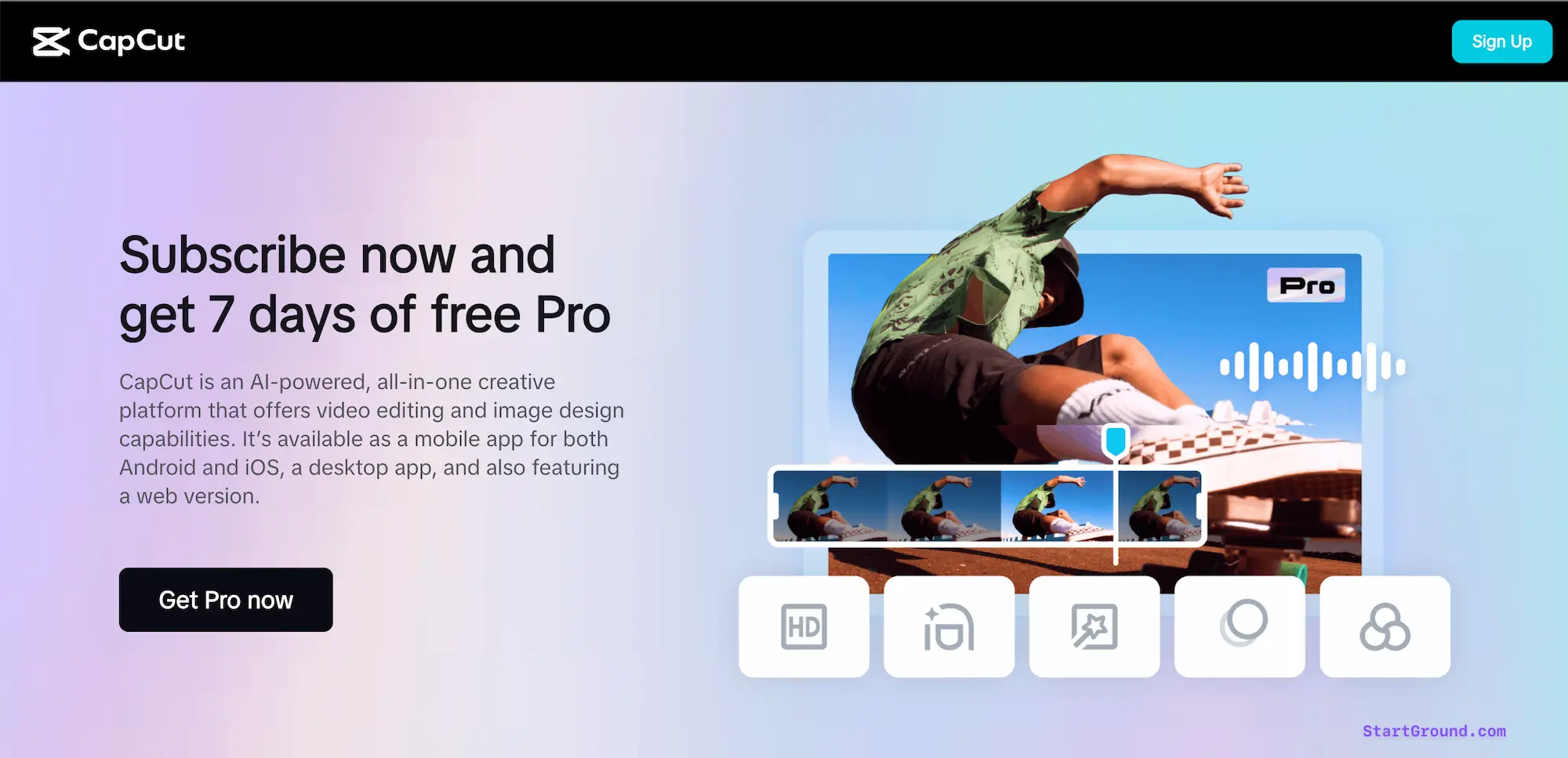
Step 2: Click “Get Pro now”: On the CapCut offer page, hit the “Get Pro now” button to see the discounted subscription plans with the promo already applied.
Step 3: Choose your plan: Select either the monthly or yearly subscription — whichever best fits your editing needs and budget.
Step 4: Create your account or log in: Sign up using your Google, Facebook, or TikTok credentials. If you already have a free CapCut account, log in to upgrade.
Step 5: Complete payment and start editing: Confirm your plan selection and complete the checkout. Your 7-day free trial begins immediately, and the discount applies to your first billing cycle.
For Desktop Version:
Follow these steps if you have signed up already for their free version of the tool.
Sign Up or Log In: Open CapCut on your device (desktop, mobile, or web). If you haven’t signed up yet, you’ll need to create an account using your Google, Facebook, or TikTok credentials.
Select ‘Join Pro’: On the CapCut app’s home screen, look for the ‘Join Pro’ button. Click it to explore the subscription plans.

Apply Coupon: Use our direct discounted link to get 7 days of Pro for free and save up to 30% on your subscription.

Choose Your Plan: After applying the discount, select either a monthly or yearly plan—whichever best suits your needs—and complete the payment to enjoy the full suite of CapCut Pro features.
CapCut Pricing Plans and Discount
CapCut operates on a freemium model with a genuinely capable free tier and a Pro plan that unlocks the full editing suite. The pricing you see can vary slightly depending on your region, device, and whether you purchase through the web, desktop app, or mobile app store — so always confirm the final price at checkout.
As part of the current promotion, you can get a 7-day free CapCut Pro trial to explore all Pro features. Here’s a quick breakdown of their standard plans:

Free Plan
The free version of CapCut gives you access to the core editor, including timeline editing, basic filters, transitions, audio tools, text overlays, and auto-generated subtitles. You can export at 1080p without a watermark on standard manually edited content. CapCut also includes a limited number of AI features each month on the free tier — enough for casual creators but restrictive for anyone producing content daily.
Pro Plan
CapCut Pro removes every limitation from the free tier and adds the tools that serious creators need. You get 4K exports at 60fps, unlimited AI features (auto-captions, background removal, motion tracking, noise reduction), the complete premium asset library (templates, fonts, transitions, effects), priority export processing, 100GB of cloud storage, and a full commercial license for all content you produce.
| Plan | Price | Billing | Best For |
|---|---|---|---|
| Free | $0 | — | Casual creators and beginners |
| Pro (Monthly) | From $9.99/month | Monthly | Short-term projects or testing |
| Pro (Yearly) | From $89.99/year | Annual | Long-term creators and businesses |
| Team | From $12.99/user/month | Monthly or Annual | Collaborative teams and agencies |
The StartGround partner deal shaves up to 30% off these listed prices and adds a 7-day free trial on top. The yearly plan already offers the best per-month rate, and stacking the StartGround discount on the annual subscription delivers the strongest overall value.
CapCut Overview and Features
CapCut is an all-in-one creative platform that handles video editing, image design, and AI-powered content generation across desktop, mobile, and web. ByteDance launched the tool (originally as JianYing in China) in 2019 and rebranded it for global users shortly after. It has since become the default editing app for a massive portion of social media creators — particularly those producing short-form content for TikTok, Instagram Reels, and YouTube Shorts.
What sets CapCut apart from competitors is the depth of its free tier combined with the AI capabilities available in Pro. Most free editors either add watermarks, lock essential tools behind paywalls, or restrict export quality. CapCut does none of these on its standard free plan for manually edited content, which makes the platform easy to test before committing to Pro.
The Pro upgrade adds meaningful creative power on top of an already strong foundation.
AI-Powered Editing Tools
CapCut Pro includes a full suite of AI features that eliminate hours of manual work. The background remover lets you isolate subjects from any clip without a green screen setup. Motion tracking follows objects or people through a scene automatically. Noise reduction cleans up audio recorded in imperfect environments — cafés, offices, outdoors — without requiring a separate audio tool. Auto-captions generate accurate subtitles in multiple languages, and the AI text-to-video feature produces short clips from text prompts. These tools save real time on every project, especially if you publish content frequently.
Text Animations and Effects
The text animation library goes well beyond static captions. You can add kinetic text that responds to music beats, animated lower thirds for professional-looking intros, and fully customisable subtitle styles that match your brand. The trending effects library stays current with popular visual styles — glitch transitions, colour grading presets, cinematic overlays, and split-screen layouts all ship ready to use.
Premium Templates
CapCut Pro unlocks access to the full template library, which covers everything from product demo formats to social media ad layouts. You can drop your clips into a pre-built structure, adjust the pacing, swap in your branding, and export a polished video in minutes. The templates update regularly to reflect platform trends, so your content stays visually current without you having to redesign from scratch.
Cross-Platform Editing
One of CapCut’s strongest practical advantages is true cross-platform support. You can start a project on your phone during a commute, continue refining it on your desktop at the office, and make final adjustments from the web editor on any browser. Cloud syncing keeps your timeline, assets, and export settings consistent across devices. For founders and small teams juggling multiple responsibilities, this flexibility makes it realistic to produce polished video content without blocking out large chunks of desk time.
Retouch and Enhancement
The retouch tools handle skin smoothing, body adjustments, and facial feature refinement with a few taps. The image quality enhancer upscales resolution and corrects colour in low-quality footage. These features matter most for product demos, testimonial videos, and any content where visual polish directly affects how your brand gets perceived.
Green Screen and Background Replacement
CapCut’s chroma key feature removes and replaces backgrounds without needing physical green screen equipment. The AI-powered background remover in Pro takes this further by isolating subjects from complex scenes automatically. You can place yourself in a branded environment, swap locations between takes, or create entirely virtual backdrops — all within the same editor.
Audio Integration
The built-in music library, sound effects catalogue, and voiceover recording tools keep your audio workflow inside CapCut. You can sync cuts to music beats, layer sound effects over transitions, and mix multiple audio tracks with precision controls. The noise reduction feature in Pro cleans up background interference, which is particularly useful if you record in environments you cannot fully control.
Collaboration Features
CapCut’s Team plan introduces shared project access, collaborative editing, and asset management across multiple users. For agencies, marketing teams, or founders working with freelancers, this removes the friction of passing project files back and forth. Everyone works from the same timeline, and changes sync in real time through the cloud.
All CapCut Deals and Promotions
StartGround currently offers two active promotions for CapCut Pro. Choose the one that matches your situation.
Offer 1: 7-Day Free Pro Trial
This offer gives you a full week of unrestricted access to every CapCut Pro feature — 4K exports, unlimited AI tools, the complete template and asset library, priority rendering, and cloud storage. You can cancel at any time before the trial ends to avoid any charges. It is the best way to pressure-test Pro against your actual editing workflow before committing to a paid plan.
Learn more about Capcut’s 7 Day Free Trial and how to apply it in our guide here.
Offer 2: Up to 30% Off Monthly and Yearly Plans
When you subscribe through the StartGround partner link, the discount applies automatically at checkout. This 30% saving works on both the monthly and the yearly subscription, though the annual plan delivers significantly more value per month. You can combine this with the 7-day free trial — start with the trial, and the discount kicks in on your first billing cycle.
| Deal | What You Get | How to Claim |
|---|---|---|
| 7-Day Free Trial | Full Pro access for 7 days, cancel anytime | Via StartGround partner link |
| 30% Discount | Up to 30% off monthly or yearly Pro plans | Automatically applied via partner link |
CapCut Deal FAQs
CapCut Reviews
CapCut has built a strong reputation among social media creators, small business owners, and marketing teams since its global launch. The platform consistently earns high ratings across app stores and review platforms, with users praising its accessibility and the depth of its free offering.
Ease of Use
First-time users tend to find their way around the editor quickly. The interface keeps essential tools visible without overwhelming the screen, and the drag-and-drop timeline feels intuitive even if you have no prior editing experience. The onboarding flow guides you through basic operations, and the template library provides a shortcut for anyone who wants polished results without mastering every feature manually.
AI Features That Save Time
The auto-caption and background removal tools receive the most positive feedback from regular users. Creators who post frequently report that these AI features cut their editing time significantly — tasks that previously required a dedicated tool or manual effort now happen inside CapCut with a single click. The beat sync feature, which automatically aligns cuts to music, is another favourite among short-form video creators.
Areas for Improvement
The most common criticism relates to pricing transparency. CapCut displays different prices depending on your device and platform — subscribing through the iOS App Store, for example, can cost more than purchasing directly through the website. Some users have also reported unexpected changes to their subscription terms or plan features. The free version, while generous, locks certain AI-generated content behind a Pro watermark that only disappears after upgrading. On the performance side, the desktop app demands significant processing power for 4K editing, which can slow down older machines.
Overall Sentiment
The consensus among creators is that CapCut delivers outstanding value at its price point. The free tier alone outperforms most competing free editors, and the Pro upgrade justifies its cost for anyone producing content regularly. The AI toolkit is a genuine differentiator — not a gimmick — and the cross-platform experience makes CapCut practical for creators who edit on the go.
CapCut

CapCut is an AI-powered video editing platform that lets you create, edit, and export professional-quality videos across desktop, mobile, and web with tools for auto-captions, background removal, motion tracking, and 4K rendering.
Price: 7.99
Price Currency: USD
Application Category: BusinessApplication
5
Pros
- Powerful free tier with full editor.
- Comprehensive AI editing tools.
- Cross-platform with cloud sync.
Cons
- Pricing varies by platform and region.
- Desktop app needs strong hardware.
- Some AI content watermarked on free plan.
CapCut Alternatives
CapCut is a strong all-round editor, but your workflow, platform preference, or budget might point you toward a different tool. Here are four alternatives worth evaluating.
Pippit AI
Pippit AI is ByteDance’s dedicated AI content creation platform, built specifically for e-commerce and performance marketing teams. Unlike CapCut’s manual editing workflow, Pippit generates ready-to-publish product videos, ad creatives, and social media assets directly from product URLs or images using AI — no timeline editing required.
If your primary goal is producing high volumes of ad content and shoppable videos rather than hands-on creative editing, Pippit delivers faster output with less manual effort. StartGround members can access an exclusive Pippit AI deal through the partner link on the StartGround deals page.
InShot
InShot is a mobile-first editor built for speed. It handles trimming, merging, filters, transitions, and music overlays with a clean, minimal interface that gets you from raw footage to finished post faster than almost any competitor. InShot lacks the depth of CapCut’s AI features and template library, but it compensates with reliability, lightweight performance, and a straightforward editing experience. If you edit exclusively on your phone and want the quickest path from clip to publish, InShot is hard to beat.
Adobe Premiere Rush
Premiere Rush sits between CapCut’s simplicity and Premiere Pro’s professional depth. It gives you multi-track editing, motion graphics templates, and colour correction tools that feel more polished than CapCut’s equivalents. The real advantage is Creative Cloud integration — you can start a project in Rush and move it to Premiere Pro for advanced finishing. The trade-off is price: Rush requires an Adobe subscription, which adds up if you are not already paying for Creative Cloud.
Filmora
Filmora occupies the middle ground for desktop users who have outgrown CapCut’s feature set but do not need the complexity of Premiere Pro. It offers keyframe animation, screen recording, audio mixing, motion tracking, and a growing suite of AI tools, including smart cutout and AI copywriting. Filmora also sells a one-time purchase license alongside its subscription, which appeals to creators who prefer to avoid recurring fees.
Canva
Canva approaches video from a design-first perspective. If your video content needs to match an existing brand identity across social graphics, presentations, and print materials, Canva keeps everything in one ecosystem. The video editor is simpler than CapCut’s, but the template library, Brand Kit integration, and collaborative features make it a practical choice for marketing teams producing high volumes of branded content across multiple formats.
Claim Your CapCut Deal
A professional video editor with AI-powered tools at a discounted rate is the kind of deal that pays for itself quickly — especially if video content is a core part of how you grow your brand. The 7-day free trial lets you test every Pro feature against your real projects before spending anything.
If you publish video content regularly, the Pro upgrade eliminates the friction points (watermarks, AI limits, 1080p caps) that slow down your output and compromise quality.
If you are exploring video for the first time, the free trial gives you a full week to discover whether CapCut Pro fits your workflow before making any financial commitment.
If you manage a team or agency, the Team plan combined with the StartGround discount delivers collaborative editing tools at a price that makes sense for growing operations.
Visit the StartGround partner link, activate your free trial, and start producing the kind of content your audience actually wants to watch.
This offer is verified by StartGround in partnership with CapCut. T&Cs apply. Deal terms subject to change — verify pricing at checkout.
RElated Categories:
Author: Pradeep Singh
Pradeep Singh is an entrepreneur and founder of StartGround, a platform dedicated to empowering startups and entrepreneurs with the best software deals and resources. With years of experience building and guiding startups to success, he’s passionate about helping entrepreneurs to access essential tools, best resources, and growth opportunities.