Webflow Promo Code (2026): Claim 1 Year Free CMS Site Plan Deal

Written By:
Pradeep Singh
Last Updated: March 16, 2026
Disclosure: This post may contain affiliate links, meaning if you decide to make a purchase via my links, I may earn a commission at no additional cost to you. See my disclosure for more info.
StartGround has partnered directly with Webflow to bring you one of the most valuable website builder deals available right now — a full year free on the CMS site plan. If you run a startup or a growing business and you need a professional, high-performance website without hiring developers, this offer gives you the perfect launchpad.
| Webflow StartGround Deal | Details |
|---|---|
| Partner Promo Code | Applied automatically via partner link |
| Offer / Discount | 1 year free on the CMS site plan |
| Eligibility | New Webflow customers (startups with fewer than 50 employees, Series A or below) |
| Redemption Method | Via the StartGround community deal page |
Webflow powers websites for thousands of companies including Typeform, Dropbox, Vanta, Lattice, and Ramp. The platform combines a visual drag-and-drop builder with a robust content management system, fast global hosting on AWS, and built-in SEO tools — all without requiring you to write a single line of code. Over 7,000 templates and Webflow University’s 400+ free lessons make it straightforward to get a polished site live fast.
This is a verified StartGround partner offer, negotiated directly with Webflow.
Steps to Claim Webflow Deal
Claiming your free year on Webflow’s CMS plan takes just a few steps through the StartGround community. Follow the process below to get started.
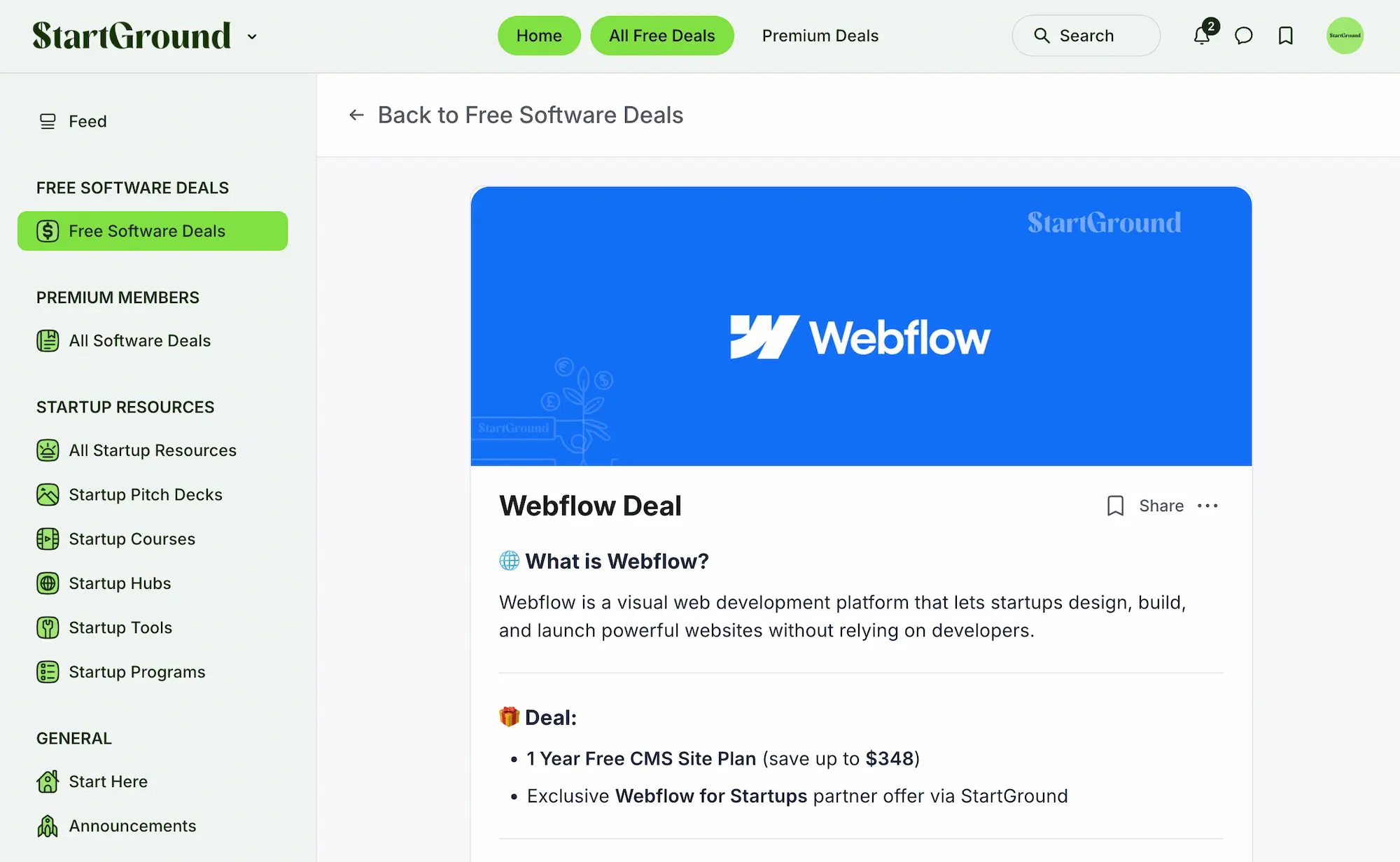
Step 1: Visit the StartGround community deal page: Head to the Webflow deal page inside the StartGround community — create an account if you do not already have one.
Step 2: Log in to your StartGround account: Members who are already logged in will land directly on the deal access page with full instructions visible.
Step 3: Follow the community instructions: Use the deal access page to submit your application through the StartGround partner link — the offer applies automatically.
Step 4: Complete Webflow’s verification: Webflow reviews each application manually, which typically takes 3 to 5 business days. Use a business email address (not Gmail, Hotmail, or other free email providers) and have proof of incorporation or media coverage of your business ready.
Step 5: Activate your CMS plan: Once Webflow approves your application, you will receive confirmation with the next steps to activate your free year on the CMS site plan.
If you run into any issues during the process, use the live chat inside the StartGround community to get help from the team.
Webflow Pricing Plans and Discount
Webflow structures its pricing around two categories: site plans (for individual websites) and workspace plans (for team collaboration and staging). The StartGround partner deal applies specifically to the CMS site plan, which is the most popular tier for startups running blogs, resource hubs, case study libraries, or any content-driven website.
Here is a breakdown of Webflow’s current site plans when billed yearly:
| Plan | Monthly Price (Billed Yearly) | Pages | CMS Items | Bandwidth | Best For |
|---|---|---|---|---|---|
| Starter | Free | 2 | 50 | 1GB | Prototyping and experimenting |
| Basic | $14/mo | 150 | No CMS | 10GB | Landing pages, portfolios, MVPs |
| CMS | $23/mo | 150 | 2,000 | 50GB | Blogs, SEO-driven sites, content hubs |
| Business | $39/mo | 300 | 10,000+ | 100GB+ | High-traffic marketing sites |
| Enterprise | Custom | Custom | Unlimited | Custom | Large-scale, enterprise-grade sites |
The CMS plan at $23 per month (billed annually) normally costs $276 per year. On a month-to-month basis, the CMS plan runs $29 per month — totalling $348 over 12 months. The StartGround exclusive deal saves you the full cost of this plan for your first year, making it one of the highest-value website builder offers available to startups.
Webflow also offers workspace plans for team collaboration, starting free and scaling up to $49/mo for the Growth tier. Ecommerce plans are available separately, starting at $29/mo for the Standard tier and going up to $212/mo for Advanced. These workspace and ecommerce plans operate independently from site plans, so you can mix and match based on your needs.
If your startup does not qualify for the partner deal, Webflow still offers meaningful savings when you choose annual billing over monthly — roughly 22% to 33% off depending on the plan. The free Starter plan also lets you build and experiment without any commitment.
Webflow Overview and Features
Webflow sits in a unique space among website platforms. It gives you the design freedom of a professional web design tool combined with the content management capabilities of a traditional CMS, all wrapped in a no-code interface. Unlike simpler drag-and-drop builders that box you into rigid templates, Webflow generates clean, production-ready HTML, CSS, and JavaScript behind the scenes — meaning your site performs like it was hand-coded by a developer, even though you built it visually.
The platform hosts over 3.5 million websites and serves companies at every stage, from solo founders building their first landing page to enterprise teams managing complex multi-locale marketing sites. AWS-powered hosting with a global CDN ensures fast load times regardless of where your visitors are located, and Webflow’s ISO 27001 certification means security is built into the foundation.
What makes Webflow genuinely different is that it does not force you to choose between creative control and operational efficiency. You design your site visually, manage content through a structured CMS, optimise for search engines with granular SEO tools, and publish — all from one platform.
Visual Website Builder
Webflow’s designer is not a simplified page editor with a handful of drag-and-drop widgets. It is a full visual development environment that mirrors how a developer would build a site with HTML and CSS, except you do everything through a visual interface. You can control box models, flexbox layouts, grid systems, typography, spacing, and responsive breakpoints with the same precision a developer gets in code.
The AI Site Builder accelerates the process even further. You describe what you want, and Webflow generates a starting structure you can refine visually. For founders who want a professional site fast, this removes the blank-canvas problem and puts a working foundation in front of you within minutes.
CMS and Content Management
The built-in CMS is the reason so many startups choose Webflow over static site builders. You create structured content collections — blog posts, team members, case studies, product pages, testimonials — and Webflow dynamically generates pages from that data. The CMS plan supports up to 2,000 items across 20 collections, which gives you plenty of room to scale your content strategy.
Content editors on your team can update text, images, and CMS entries without ever touching the design. Webflow provides a dedicated editing interface that keeps your brand and layout intact while still letting non-designers publish new content independently.
Hosting and Performance
Webflow handles hosting directly through Amazon Web Services with a globally distributed CDN. You do not need to manage servers, worry about uptime, or configure SSL certificates. Every site published on Webflow gets automatic SSL, HTTP/2, and surge protection on paid plans to handle traffic spikes without downtime.
The CMS plan includes 50GB of bandwidth, and the Business plan scales up to 2.5TB. For the vast majority of startups, the CMS plan provides more than enough headroom. If your traffic outgrows it, Webflow makes upgrading seamless.
SEO and Discoverability
Search engine optimisation is not an afterthought in Webflow — it is woven into the platform. You get full control over meta titles, meta descriptions, Open Graph tags, alt text for images, custom URL slugs, and 301 redirects. Webflow automatically generates clean sitemaps and allows you to manage robots.txt settings directly from the dashboard.
Most competitors either hide SEO controls behind plugins or limit what you can customise. Webflow gives you everything out of the box, and the visual interface makes it accessible even if you have never touched an SEO tool before.
Interactions and Animations
Creating scroll-triggered animations, hover effects, parallax backgrounds, and multi-step interactions is straightforward in Webflow — no code, no plugins, no third-party libraries. The interactions panel lets you set triggers, define animation sequences, and preview everything in real time.
This is a capability that typically requires a front-end developer or a dedicated animation tool. Webflow puts it directly in the hands of designers and founders, which means your site can feel dynamic and polished without an engineering budget.
Responsive Design
Every element you place in Webflow is fully responsive. You design once for desktop, then adjust breakpoints for tablet, mobile landscape, and mobile portrait. Webflow gives you independent control over each breakpoint, so you can fine-tune the experience per device rather than relying on automatic scaling that often breaks layouts.
Integrations and Ecosystem
Webflow connects with hundreds of tools through native integrations and platforms like Zapier. HubSpot, Mailchimp, Google Analytics, Adobe Express, Airtable, and Slack are just a few of the services that plug directly into your Webflow site. The platform also supports custom code embeds, so if you need a specific widget or tracking script, you can drop it in without limitation.
The Made in Webflow marketplace gives you access to thousands of cloneable projects and templates. You can start from a professionally designed template and customise it to match your brand, dramatically reducing the time between idea and live website.
Localisation and Scaling
For startups with a global audience, Webflow offers localisation add-ons that let you translate and adapt your site for different regions. The Essential plan starts at $9/mo for up to 3 locales, while the Advanced plan at $29/mo supports up to 10 locales with automatic visitor routing, localised URLs, and asset localisation.
Webflow also offers Optimize ($299/mo) for A/B testing and personalisation, and Analyze ($9/mo) for actionable site performance insights. These add-ons reflect Webflow’s positioning as a complete website experience platform, not just a page builder.
All Webflow Deals and Promotions
StartGround currently offers one primary Webflow deal. Choose the option that matches your situation.
Offer 1: 1 Year Free on the CMS Site Plan
This is the flagship Webflow deal available through StartGround. You receive a full 12 months free on Webflow’s CMS site plan, which includes 150 pages, 2,000 CMS items, 50GB bandwidth, site search, and 3 legacy editor seats. The offer applies automatically when you submit your application through the StartGround partner link.
To qualify, your business must be a software-driven technical startup with fewer than 50 employees, funding at Series A or below (under $15 million raised), and you must be a new Webflow customer. Agencies, consultants, and service-based businesses are not eligible. Webflow reviews every application and typically responds within 3 to 5 business days.
Offer 2: Annual Billing Savings on All Plans
If you do not meet the startup eligibility criteria for the free year, Webflow offers annual billing discounts across all paid plans. Choosing annual billing over monthly billing saves you between 22% and 33% depending on the plan you select. This discount applies directly on Webflow’s pricing page and does not require a partner link.
| Webflow Deal | Discount | Eligibility | How to Claim |
|---|---|---|---|
| 1 Year Free CMS Plan | 100% off CMS plan for 12 months | New startup customers (Series A or below, <50 employees) | Apply via StartGround partner link |
| Annual Billing Discount | 22%-33% off all paid plans | All customers | Select annual billing on Webflow’s pricing page |
Webflow Deal FAQs
Webflow Reviews
Webflow has built a strong reputation in the no-code and website builder space, consistently earning high ratings across review platforms. Users praise it for striking a balance that most competitors fail to achieve: genuine design freedom without requiring engineering resources.
Design Freedom Stands Out
The most common theme across Webflow reviews is the level of creative control the platform provides. Users who move to Webflow from template-driven builders like Squarespace or Wix frequently highlight how liberating it feels to design without constraints. You are not limited to predefined sections or rigid layouts — you can build virtually anything you can envision, and the output is clean, standards-compliant code.
Startups in particular appreciate that they can launch a site that looks custom-built without paying for a design agency or a front-end developer. The CMS capabilities make it easy to scale content over time, and the visual editor keeps everything manageable for non-technical team members.
Real-Time Preview Saves Time
Multiple reviewers highlight Webflow’s real-time preview functionality as a significant time saver. You see every change instantly as you make it, which eliminates the frustrating publish-check-fix cycle common on other platforms. This immediate feedback loop helps you build faster and catch design issues before they go live.
The Learning Curve Is Real
Webflow is more powerful than most website builders, and that power comes with a steeper learning curve. New users sometimes feel overwhelmed by the depth of the interface, especially if they are coming from a simpler tool. Webflow University helps bridge the gap with hundreds of structured lessons, but you should expect to invest a few hours getting comfortable with the designer before you are fully productive.
The pricing structure can also be confusing at first. Site plans, workspace plans, ecommerce plans, and add-ons all operate on separate billing tracks. Once you understand the system it makes sense, but the initial experience can feel fragmented compared to platforms with a single simple pricing page.
Community and Support
Webflow’s community includes over 75,000 members, and the ecosystem of certified experts, agencies, and template designers means help is always accessible. Customer support receives positive marks for responsiveness and technical knowledge. If you need hands-on help, hiring a certified Webflow expert through the partner directory is a reliable option.
Webflow
Webflow is a no-code website experience platform trusted by thousands of startups, offering a visual builder, built-in CMS, and AWS-powered hosting to help you design, launch, and scale a professional site without developers.
Price: 14
Price Currency: USD
Application Category: DeveloperApplication
5
Pros
- Full design freedom without code.
- Built-in CMS and hosting.
- Enterprise-grade performance on AWS.
Cons
- Steeper learning curve than simpler builders.
- Pricing structure can feel complex.
- Ecommerce requires separate plan.
Webflow Alternatives
Webflow is an excellent choice for startups that want full design control with a no-code workflow, but it is not the only option. Depending on how you plan to build, manage, and scale your website, a different platform might suit your needs better.
WordPress
WordPress remains the most widely used website platform in the world, powering over 40% of all websites. It offers unmatched flexibility through its open-source architecture and a plugin ecosystem of over 60,000 options. If you need deep customisation, complex integrations, or a specific feature that only a dedicated plugin can provide, WordPress handles it. The trade-off is that you need to manage hosting separately, keep plugins updated, and deal with occasional compatibility issues. WordPress suits you best if you want maximum extensibility and do not mind a more hands-on technical setup.
Framer
Framer has emerged as a direct competitor to Webflow, especially among design-focused teams. It offers a similar visual building approach with a strong emphasis on animations, interactions, and design precision. Framer appeals to designers who want to prototype and publish from the same tool. If your priority is cutting-edge visual design and you already work in a design-heavy workflow, Framer is worth evaluating alongside Webflow.
Squarespace
Squarespace takes the opposite approach to Webflow — it prioritises simplicity and guided templates over open-ended design freedom. You choose from a curated set of professionally designed templates and customise within defined boundaries. The result is a polished site with minimal effort. Squarespace works well for portfolios, small business sites, and simple ecommerce stores where you value speed and ease over pixel-level control. The built-in ecommerce, email marketing, and scheduling tools make it a strong all-in-one option for non-technical founders.
Wix
Wix offers a middle ground between Squarespace’s simplicity and Webflow’s design depth. The drag-and-drop editor is intuitive and accessible, and Wix’s AI site generator can create a starter site from a few prompts. With over 800 templates and a large app marketplace, Wix covers a wide range of use cases. The platform suits you best if you want a quick setup with decent customisation but do not need the production-grade code output and CMS depth that Webflow provides.
Bubble
Bubble is not a traditional website builder — it is a no-code application platform. If you need to build a web application with user authentication, databases, workflows, and complex logic, Bubble handles that. It is overkill for a marketing site or blog, but if your startup’s website is also your product, Bubble gives you the tools to build fully functional software without code.
| Feature | Webflow | WordPress | Squarespace | Wix | Framer | Bubble |
|---|---|---|---|---|---|---|
| No-Code Visual Builder | Yes | No (code/plugins) | Yes (template-based) | Yes | Yes | Yes |
| CMS Capabilities | Built-in | Plugin-based | Built-in (limited) | Built-in | Built-in | Database-driven |
| Custom Code Support | Yes | Full | Limited | Limited | Yes | Yes |
| SEO Control | Advanced | Advanced (via plugins) | Basic | Moderate | Moderate | Basic |
| Ecommerce | Add-on plans | Plugin-based | Built-in | Built-in | Limited | Custom-built |
| Hosting Included | Yes (AWS) | No (self-hosted) | Yes | Yes | Yes | Yes |
| Best For | Design-led marketing sites | Complex, extensible sites | Simple business sites | Quick-launch sites | Design-focused teams | Web applications |
Claim Your Webflow Deal
Getting a full year free on a professional website platform is rare — especially one trusted by companies like Dropbox, Vanta, and Ramp. This Webflow deal through StartGround removes the cost barrier entirely for your first 12 months on the CMS plan.
If you are launching a new startup, this offer gives you a production-ready website from day one with zero upfront software cost. If you are currently using a free or basic website builder, this is your chance to upgrade to a platform with genuine design freedom, robust CMS capabilities, and enterprise-grade hosting. If you have been comparing Webflow to alternatives, a full year free makes the decision considerably easier.
Visit the StartGround community deal page today and submit your application before this partner offer changes.
This offer is verified by StartGround in partnership with Webflow. T&Cs apply. Eligibility criteria are set by Webflow and subject to their review process.
Tags:
Author: Pradeep Singh
Pradeep Singh is an entrepreneur and founder of StartGround, a platform dedicated to empowering startups and entrepreneurs with the best software deals and resources. With years of experience building and guiding startups to success, he’s passionate about helping entrepreneurs to access essential tools, best resources, and growth opportunities.