Notion Promo Code (2026): Claim 6 Months Free Business Plan

Written By:
Pradeep Singh
Last Updated: February 26, 2026
Disclosure: This post may contain affiliate links, meaning if you decide to make a purchase via my links, I may earn a commission at no additional cost to you. See my disclosure for more info.
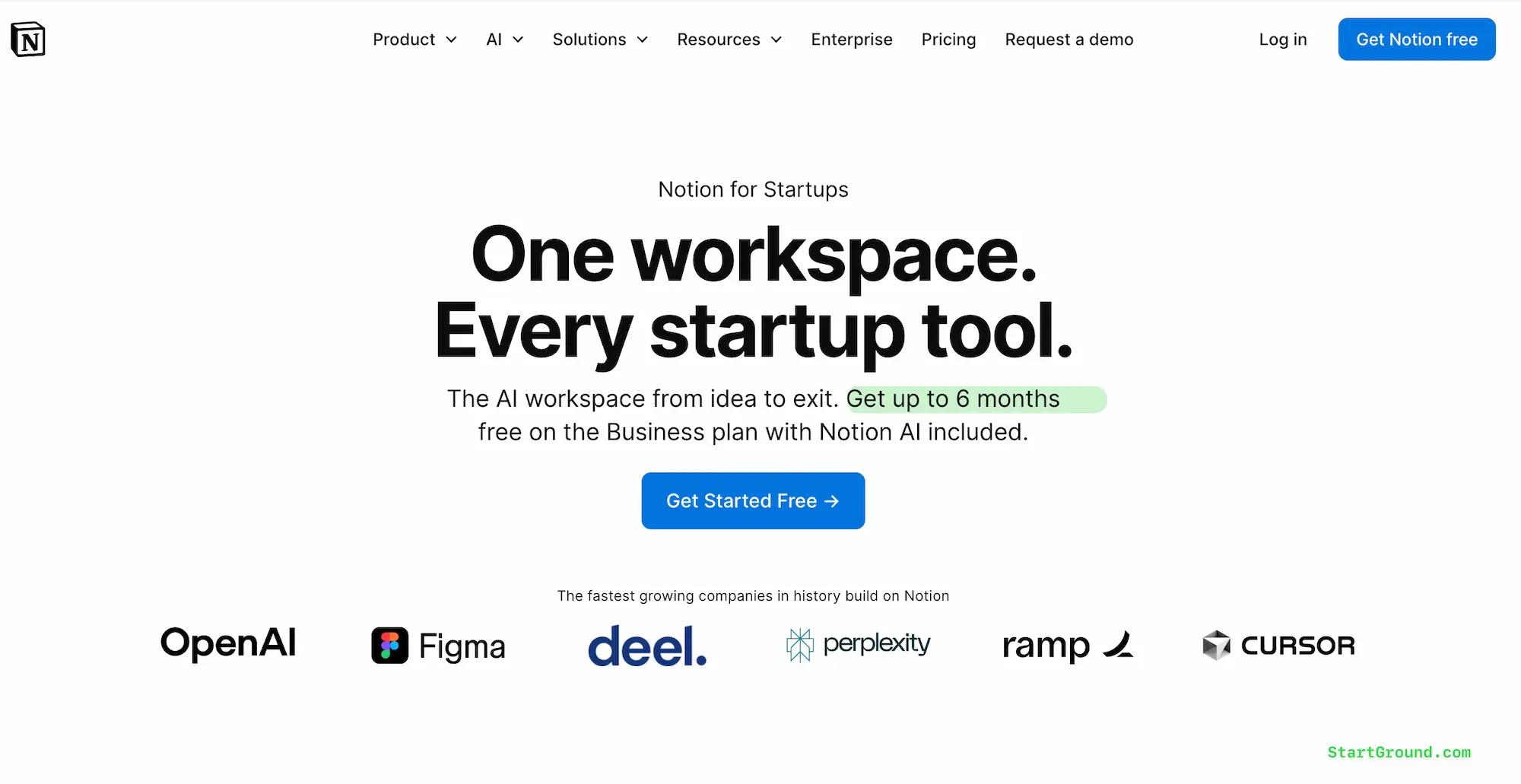
StartGround has partnered directly with Notion to bring you one of the most valuable startup software deals available right now. Through our official partner link, you can claim 6 months free on Notion’s Business plan with Unlimited AI included — a deal worth up to $12,000 in savings depending on your team size.
Notion has become the workspace of choice for high-growth companies worldwide. Over 94% of Forbes AI 50 companies and more than half of Y Combinator startups run their operations on Notion. The platform replaces scattered tools like Google Docs, Trello, Confluence, and internal wikis with a single connected workspace that combines documents, databases, project management, and AI — all under one roof.
| StartGround Notion Deal | Details |
|---|---|
| Partner Promo Code | No code needed — claim via partner link |
| Offer | 6 months free on the Business plan with Unlimited AI |
| Savings | Up to $12,000 |
| Eligibility | New Notion customers with a professional email address |
| Redemption Method | Apply through the StartGround partner link |
This is a verified StartGround partner offer negotiated directly with Notion.
Steps to Claim Notion Deal
Follow these steps to activate your 6 months of free Notion Business access through StartGround.
Step 1: Visit the StartGround Partner Page: Head to our exclusive partner page to access the exclusive Notion startup deal.
Step 2: Complete the Application Form: Fill out the short application with your business details, including your professional work email address. Generic email domains like Gmail or Outlook are not accepted.
Step 3: Wait for Approval: Notion’s team reviews each application. Approval typically happens within a few business days once your startup eligibility is confirmed.
Step 4: Activate Your Free Business Plan: Once approved, Notion activates your 6-month free Business plan with Unlimited AI. You gain immediate access to all Business-tier features without entering any payment information upfront.
Step 5: Start Building Your Workspace: Set up your team workspace, import existing documents, and begin centralizing your operations inside Notion right away.
Notion Pricing Plans and Discount
Notion offers four distinct tiers designed to serve everyone from solo users to large enterprises. The StartGround deal gives you the Business plan — Notion’s most popular team tier — completely free for six months, including the AI add-on that typically costs $10 per member per month on top of the base price.
Here is a breakdown of every Notion plan and what each one includes:
| Notion Plan | Price | Key Features | Best For |
|---|---|---|---|
| Free | $0 | Unlimited pages and blocks for individuals, 10 guest collaborators, 5MB file upload limit | Solo users exploring Notion |
| Plus | $12/user/month | Unlimited pages for teams, 5GB file uploads, 30-day page history | Small teams getting started |
| Business | $24/user/month | 90-day page history, 250 guest collaborators, advanced security controls, SAML SSO | Growing startups and mid-size teams |
| Enterprise | Custom pricing | Unlimited page history, SCIM user provisioning, dedicated customer success manager, advanced compliance | Large organizations with strict security needs |
How the StartGround Discount Works
The Business plan costs $24 per user per month when billed monthly, or $20 per user per month on an annual subscription. Through the StartGround partnership, you receive six full months at no cost. For a team of 100 employees on the annual plan, that translates to $12,000 in savings. Even a 10-person team saves $1,200 — a significant amount for an early-stage company managing a tight budget.
The Unlimited AI feature, normally an additional $10 per member per month, comes bundled into this offer at no extra charge. You get the full AI suite for the entire six-month period, giving your team enough time to deeply integrate AI-powered workflows into daily operations before any billing begins.
What Happens After Six Months
Once the free period ends, you can choose to continue on the Business plan at the standard rate, downgrade to the Plus or Free tier, or cancel entirely. There is no obligation to remain on a paid plan, and you retain access to any content you created during the trial period.
Notion Overview and Features
Notion is a connected workspace that merges documents, databases, project management, real-time collaboration, and artificial intelligence into a single platform. Founded in 2013 and now used by companies like Pixar, Amazon, Nike, Figma, and Uber, Notion has grown from a simple note-taking tool into a comprehensive operating system for modern businesses. The platform’s core philosophy centers on flexibility — rather than forcing you into rigid workflows, Notion gives you modular building blocks to design systems that match exactly how your team works.
What sets Notion apart from traditional productivity tools is its “blocks” architecture. Every piece of content — a paragraph, an image, a database, a toggle, an embed — functions as an individual block you can drag, nest, rearrange, and combine in any configuration. This means the same workspace can serve as a task manager one day and a client-facing knowledge base the next, without requiring separate tools or migrations.
All-in-one workspace that replaces multiple tools
Most startups cobble together a stack of five to ten different software tools before they even hire their fifth employee. You might use Google Workspace (docs) for writing, Trello for project boards, Confluence for a wiki, Airtable for databases, and Slack for internal communication. Notion consolidates the first four of those into a single platform. According to Notion, 70% of users report replacing two or more tools after fully adopting the workspace. The financial savings from eliminating redundant subscriptions often exceed the cost of Notion itself, especially for growing teams where per-seat software costs compound quickly.
Databases with multiple views
Notion’s database system is one of its most powerful features. You can create a single dataset — say, a list of product feature requests — and then view that same data as a table, a Kanban board, a calendar, a timeline, or a gallery, all without duplicating anything. Each view supports filters, sorts, and custom properties like tags, dates, assignees, and formulas. This flexibility allows engineering teams to see the same project data as a timeline while the product team views it as a prioritized board, and leadership reviews it as a filtered table of high-impact items.
Notion AI built into every workflow
Notion AI is deeply embedded across the entire platform rather than bolted on as a separate tool. You can highlight any text and ask the AI to summarize it, rewrite it for a different audience, translate it, or extract action items. Inside databases, AI can auto-fill properties, generate descriptions, and answer questions about your data. Meeting notes become actionable within seconds — the AI extracts key decisions, assigns follow-ups, and links related documents without manual effort. Because the AI operates directly within your workspace, it has context about your team’s knowledge base that standalone AI tools simply cannot access.
Project management with Kanban boards and timelines
Notion handles project management through customizable task databases that support Kanban boards, timeline (Gantt-style) views, and sprint planning. You assign tasks to team members, set due dates, add priority levels, and track progress — all within the same workspace where your documentation lives. The timeline view displays tasks along a horizontal axis so you can spot scheduling conflicts and resource bottlenecks at a glance. Drag-and-drop functionality makes it quick to reprioritize tasks as your startup’s needs shift.
Knowledge base and company wiki
Centralizing institutional knowledge is critical for startups that onboard new team members regularly. Notion lets you build a structured wiki with nested pages, table of contents blocks, synced content, and permission controls. New hires can self-serve answers about company processes, engineering documentation, HR policies, and product specs without interrupting senior team members. The search function indexes every page and database in your workspace, and with AI-powered search, you can ask natural language questions and receive direct answers drawn from your team’s collective knowledge.
Customizable templates for every use case
Notion offers hundreds of pre-built templates covering product roadmaps, meeting agendas, content calendars, OKR trackers, hiring pipelines, CRM systems, and more. You can also create your own templates and share them across your team, ensuring consistency in how everyone documents processes, files reports, and tracks work. The template gallery covers use cases for engineering, design, marketing, sales, and operations — virtually every department in a startup finds ready-made structures they can deploy immediately.
Notion Mail and Notion Calendar
Notion has expanded beyond the core workspace with two companion products. Notion Mail is a self-organizing inbox that uses AI to draft replies, categorize messages, and schedule meetings directly from your email. Notion Calendar connects your scheduling with your task management, automating the busywork of finding meeting times and syncing deadlines. Both tools integrate natively with the workspace, meaning your emails, calendar events, and project tasks all live within the same ecosystem.
Real-time collaboration and permissions
Every page in Notion supports real-time co-editing, comments, mentions, and page-level permissions. You can share specific pages or entire sections of your workspace with external collaborators — investors, freelancers, or clients — without exposing your full internal knowledge base. The Business plan supports up to 250 guest collaborators and includes advanced security controls like SAML SSO, giving you granular control over who accesses what.
All Notion Deals and Promotions
StartGround currently offers one primary Notion deal. Notion structures its startup program into tiered offers based on your company profile, and the StartGround partnership gives you access to the highest available tier.
Offer 1: 6 Months Free on the Business Plan with Unlimited AI
This is the flagship deal available through our partnership. You receive six full months on Notion’s Business plan, which normally costs $24 per user per month, plus Unlimited AI access worth an additional $10 per user per month. The total savings reach up to $12,000 for teams of up to 100 employees. You must be a new Notion customer with fewer than 100 employees and a valid professional email address to qualify. No promo code is needed — your eligibility is confirmed through the application process.
Understanding Notion’s Tiered Startup Program
Notion runs a structured startup program with three tiers depending on your company size, partner affiliation, and business profile. Here is a comparison of what each tier provides:
| Tier | Duration Free | Who Qualifies | How to Access |
|---|---|---|---|
| Full Startup Offer | 6 months free + AI | Non-paying customers with under 100 employees, affiliated with an approved partner like StartGround | Apply through go.startground.com/notion |
| Standard Startup Offer | 3 months free + AI | Non-paying customers with under 100 employees, valid business website, and company domain email | Apply directly through Notion |
| SMB / Incomplete Application | 1 month free + AI | Teams under 10 employees, SMBs, or applications with insufficient business verification | Apply directly through Notion |
Applying through StartGround as an approved partner maximizes your chances of receiving the full 6-month offer. Without a partner affiliation, most startups receive the 3-month tier, and smaller teams or solo founders typically receive only 1 month.
Notion Deal FAQs
Notion Reviews
Notion has built a strong reputation across the startup and enterprise landscape, earning a rating of approximately 4.5 to 4.6 out of 5 across major review platforms. The tool serves millions of users worldwide, and its adoption by companies like OpenAI, Figma, Deel, Ramp, and Cursor speaks to its credibility as a serious business platform rather than just a personal productivity app.
What users appreciate most
The flexibility of Notion’s block-based system consistently ranks as the top reason teams adopt it. Users value the ability to mold the platform into whatever their business needs — from simple shared note repositories to complex multi-department operating systems with interconnected databases. The all-in-one nature of the workspace means less context-switching between apps, which teams report saves meaningful time each week. The startup-friendly pricing and generous free tier also receive frequent praise, especially from founders who can test the platform thoroughly before committing financially.
Standout features according to teams
Content planning and project management draw the highest engagement from business users. Marketing teams rely heavily on Notion’s calendar view and database functionality to plan, track, and review content from a single dashboard. Engineering teams appreciate having technical documentation co-located with task boards and sprint plans. The role-based access controls give managers confidence that sensitive information stays restricted to the right people, which becomes increasingly important as teams grow past the first dozen employees.
Common points of constructive feedback
Notion is not without its limitations. Some users report occasional lag when working with very large databases or pages with heavy embedded content. Power users who need advanced features — such as complex automations, native Gantt charts with dependencies, or deep reporting dashboards — sometimes find Notion’s capabilities fall short compared to specialized tools like Asana, Monday.com, or Jira. The learning curve, while manageable, can feel steep for team members who are accustomed to simpler, single-purpose tools. Customization options, while extensive within the block system, do not extend to visual theming or branding of pages to the degree some teams would like.
Overall sentiment
The general consensus positions Notion as one of the best all-in-one productivity platforms available, particularly for startups and small-to-mid-size teams. It excels when you want a single source of truth for documentation, projects, and knowledge management. Teams that invest time in setting up their workspace during the first few weeks tend to see compounding returns in efficiency over time — which makes the 6-month free period through StartGround especially valuable for proper adoption.
Notion

Notion combines documents, databases, project management, and AI into one connected workspace, helping you centralize your team’s knowledge, manage projects, and collaborate from a single platform.
Price Currency: USD
Application Category: BusinessApplication
5
Pros
- Flexible all-in-one workspace replaces multiple tools.
- Generous free tier for individuals.
- Built-in AI across every feature.
Cons
- Occasional lag with large databases.
- Limited advanced automation capabilities.
- Steeper learning curve for non-technical teams.
Notion Alternatives
Notion is a powerful and flexible workspace, but every team has different priorities. Some prefer tools with more structured project management, others need stronger automation, and some want platforms that require less initial setup. Here are the most notable alternatives and how they compare.
ClickUp
ClickUp positions itself as the all-in-one productivity tool that competes directly with Notion on breadth of features. Where it differs is in the depth of its project management capabilities — ClickUp offers native time tracking, goal setting, resource management, and more granular task dependencies out of the box. If your startup prioritizes detailed project execution tracking over flexible documentation, ClickUp may be a stronger fit. The trade-off is a steeper learning curve and an interface that can feel overwhelming for teams who want simplicity.
Monday.com
Monday.com takes a visual, board-first approach to work management. Its strength lies in intuitive drag-and-drop workflows, pre-built automation recipes, and colorful dashboards that require almost no setup time. Compared to Notion, Monday.com is easier to learn for non-technical teams and offers more robust native integrations with CRM and sales tools. The downside is less flexibility for documentation and knowledge management — Monday.com is primarily a project and workflow tool rather than a full workspace replacement.
Asana
Asana is a mature project management platform built for teams that need structured task tracking, workload management, and cross-project reporting. It handles complex project dependencies and portfolio-level views better than Notion, making it a strong choice for operations-heavy startups. Asana does not offer Notion’s database flexibility or wiki functionality, so teams using Asana often pair it with a separate documentation tool like Confluence or Google Docs.
Coda
Coda shares Notion’s philosophy of combining documents and databases into a flexible workspace, but it pushes further into automation and interactivity. Coda’s formula language is more powerful than Notion’s, and its “Packs” system integrates deeply with third-party services, allowing you to pull live data from tools like Jira, Salesforce, or GitHub directly into your documents. If your startup relies heavily on data-driven documents and cross-tool automation, Coda deserves serious consideration.
Confluence
Confluence by Atlassian is the go-to wiki and documentation platform for teams already embedded in the Atlassian ecosystem (Jira, Bitbucket, Trello). It offers robust page versioning, structured spaces for different departments, and deep Jira integration for linking documentation to development tickets. Compared to Notion, Confluence is more rigid in structure but excels at enterprise-scale documentation management. Startups using Jira for engineering will find the native integration hard to replicate elsewhere.
| Feature | Notion | ClickUp | Monday.com | Asana | Coda | Confluence |
|---|---|---|---|---|---|---|
| All-in-one workspace | Yes | Yes | Limited | No | Yes | No |
| Built-in AI | Yes | Yes | Yes | Yes | Yes | Yes (Atlassian Intelligence) |
| Database / spreadsheet views | Advanced | Moderate | Basic | No | Advanced | No |
| Project management | Good | Excellent | Excellent | Excellent | Good | Basic |
| Knowledge base / wiki | Excellent | Basic | No | No | Good | Excellent |
| Automation | Basic | Advanced | Advanced | Advanced | Advanced | Moderate |
| Free tier | Yes (generous) | Yes | Yes (limited) | Yes | Yes | Yes (up to 10 users) |
| StartGround Deal | 6 months free | 20% off 1 year | 18% off annual | 80% off | 6 months free | Available |
Claim Your Notion Deal
You now have a clear picture of what Notion offers, how the pricing works, and exactly how to claim six months free on the Business plan through StartGround’s official partnership.
If you are launching a new startup, this deal gives you a fully-featured workspace from day one — project boards, documentation, AI tools, and team collaboration — without any upfront software costs during your most critical early months.
If your team already juggles multiple productivity tools, the six-month free period provides ample time to migrate your workflows into Notion and test whether consolidating your stack improves efficiency.
If you want to take advantage of Notion AI without the added expense, this offer bundles Unlimited AI at no extra cost, letting you explore every AI feature across your entire workspace.
Visit our exclusive Notion partner page today to submit your application and start building your startup on Notion’s Business plan — completely free for six months.
Tags:
Author: Pradeep Singh
Pradeep Singh is an entrepreneur and founder of StartGround, a platform dedicated to empowering startups and entrepreneurs with the best software deals and resources. With years of experience building and guiding startups to success, he’s passionate about helping entrepreneurs to access essential tools, best resources, and growth opportunities.