
JetBrains Promo Code (2026): Save 50% on All Developer Tools Deal

Written By:
Pradeep Singh
Last Updated: March 10, 2026
Disclosure: This post may contain affiliate links, meaning if you decide to make a purchase via my links, I may earn a commission at no additional cost to you. See my disclosure for more info.
StartGround has partnered with JetBrains to bring you an exclusive 50% discount on every JetBrains tool — covering IDEs, team collaboration subscriptions, and AI Assistant Pro licenses. If you run an early-stage startup and want access to professional-grade development environments without paying full price, this deal is built for you.
JetBrains powers the workflows of nearly 16 million developers worldwide. Companies like Google, Tesla, NASA, Valve, and Ubisoft rely on JetBrains IDEs to ship production-ready code every day. The platform supports languages from Java and Python to Rust, Go, PHP, Ruby, and C++, giving your entire engineering team a single ecosystem for building software.
| JetBrains StartGround Deal | Details |
|---|---|
| Partner Promo Code | Direct Link via StartGround Community |
| Offer / Discount | 50% off all JetBrains tools for up to 10 licences |
| Maximum Savings | Up to $5,245 over the deal period |
| Eligibility | Privately-held startups under 5 years old with a live website |
| Redemption Method | Access inside Community |
| Deal Duration | 50% off over a 5-year period |
This is a verified StartGround partner offer.
Steps to Claim JetBrains Deal
Start by visiting the StartGround JetBrains deal inside our community. As this is a community deal, you will need to create a free account if you don’t have one already. For those logged in to the StartGround community, the deal will take you directly to the deal access page.
Step 1: Visit the StartGround Community Deal Page: Head to the JetBrains deal page inside the StartGround community and sign in or create your free StartGround account.
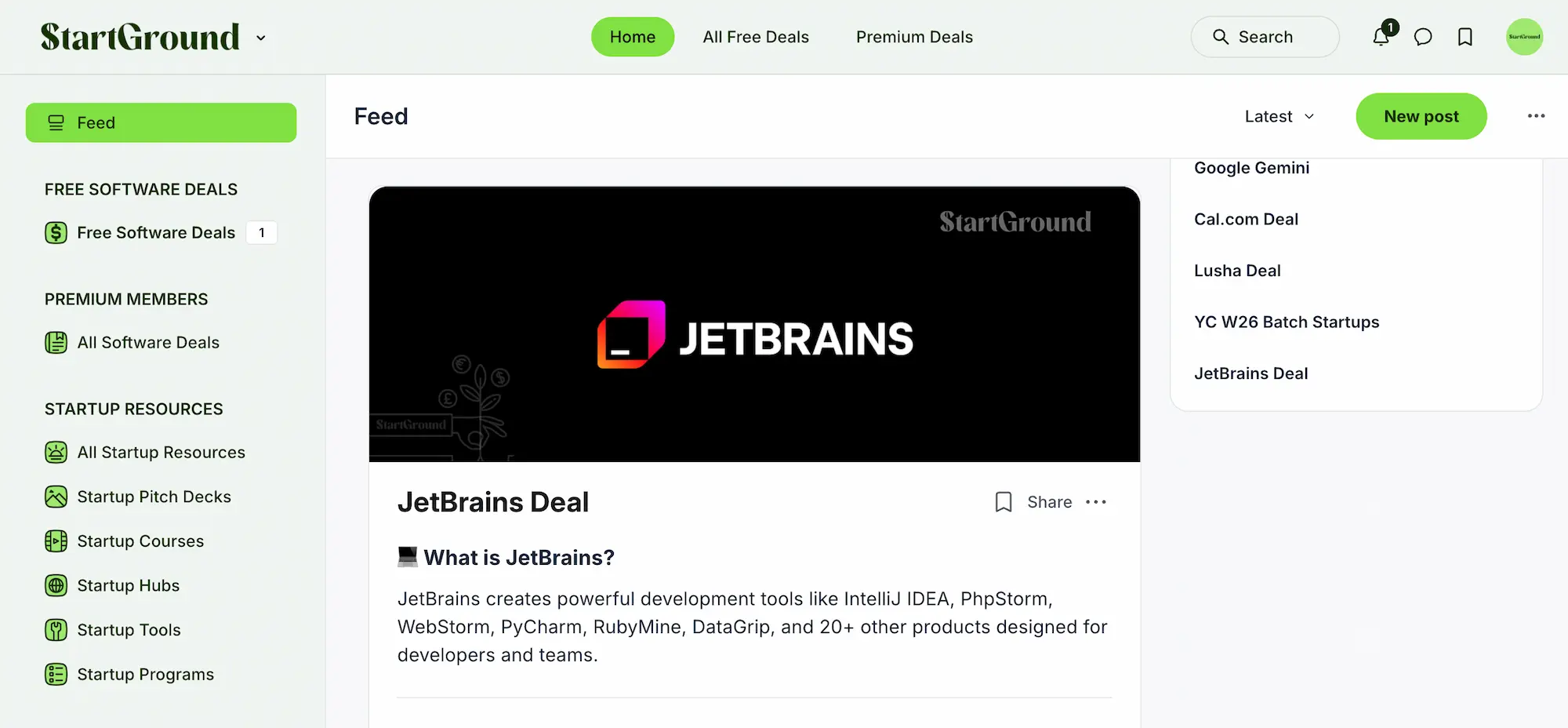
Step 2: Review the Offer Details: Confirm that your startup or venture meets the eligibility requirements listed in the post.
Step 3: Click “Get Deal” and Complete the Application: Submit your application through the deal page. StartGround acts as an accredited JetBrains partner, so your application goes directly through the official startup programme channel.
Step 4: Wait for Approval: The JetBrains team manually reviews every application. You will receive confirmation once your eligibility has been verified.
Step 5: Activate Your Discounted Licences Once approved, the 50% discount appears in your JetBrains account. You can purchase up to 10 IDE licences, 10 team tool subscriptions, and 10 AI Assistant Pro licences at half price.
JetBrains Pricing Plans and Discount
JetBrains uses a subscription-based pricing model with annual and monthly billing options. Prices differ depending on whether you choose a single IDE or the full All Products Pack. The platform also rewards loyalty through continuity discounts — your second year costs 20% less, and from your third year onward, you save 40% compared to the first-year rate.
Here is an overview of key JetBrains pricing tiers at standard rates before the StartGround discount:
| Product / Plan | Individual (Year 1) | Commercial (Year 1) | With 50% StartGround Discount (Commercial) |
|---|---|---|---|
| Single IDE (e.g. IntelliJ IDEA, PyCharm, WebStorm) | ~$249/year | ~$499/year | ~$250/year |
| All Products Pack | ~$299/year | ~$979/year | ~$490/year |
| AI Assistant Pro | Included or add-on | Per-seat pricing | 50% off per seat |
| dotUltimate (.NET bundle) | ~$299/year | ~$779/year | ~$390/year |
JetBrains increased subscription prices across its IDEs and tool packs in October 2025, with hikes ranging from 11% to 30% depending on the product. This makes the StartGround 50% discount even more significant — you lock in a substantial saving at a time when standard rates have risen industry-wide.
How the discount stacks up over five years
The StartGround deal covers a five-year window. If your team purchases 10 All Products Pack licences at the commercial rate, your first-year cost drops from roughly $9,790 to about $4,895. Over five years — factoring in standard continuity pricing plus the 50% partner discount — total savings can reach the advertised figure of up to $5,245. The exact amount depends on the specific tools you select and how many seats you purchase.
Perpetual fallback licence included
Every annual JetBrains subscription includes a perpetual fallback licence. This means that even if you cancel your subscription after one year, you retain the right to use the version of the software that was current at the time of your purchase. For startups watching their runway, this is a meaningful safety net — you never lose access to the tools you paid for.
JetBrains Overview and Features
JetBrains, founded in Prague in 2000, designs intelligent development environments that make writing, testing, and deploying code faster and more reliable. The company’s philosophy centres on reducing friction in the developer workflow — every IDE ships with deep code understanding, context-aware suggestions, and built-in tooling that eliminates the need to cobble together dozens of separate plugins.
The product suite spans more than a dozen specialised IDEs, each tailored to a particular language or technology stack. Whether your team builds backend services in Java, data pipelines in Python, web frontends in JavaScript, or cross-platform mobile apps in Kotlin, JetBrains has a dedicated environment designed to maximise productivity for that specific domain.
Specialised IDEs for every language and stack
IntelliJ IDEA is the flagship product, built for Java and Kotlin development with enterprise-grade refactoring, database tools, and framework integrations. PyCharm focuses exclusively on Python, offering virtual environment management, scientific computing support, and built-in tools for Django and Flask. WebStorm handles modern JavaScript and TypeScript workflows with first-class support for React, Angular, Vue, and Node.js. Rider covers .NET and C# development, GoLand targets Go, CLion handles C and C++, PhpStorm powers PHP projects, and RubyMine serves Ruby on Rails developers. RustRover, one of the newer additions, brings full Rust support with local AI code completion and advanced debugging.
Each IDE ships with the same core engine, meaning that once your developers learn one JetBrains tool, they can move between IDEs with minimal friction. Keyboard shortcuts, settings, and workflows carry across the entire product family.
Intelligent code assistance and refactoring
JetBrains IDEs analyse your codebase in real time, building an internal model of your project’s structure, dependencies, and type relationships. This enables features like smart code completion that predicts not just syntax but meaningful, context-aware suggestions based on your actual code patterns. The refactoring engine is widely regarded as the most reliable in the industry — renaming a method, extracting a class, or reorganising a module propagates changes safely across your entire project without introducing regressions.
Error detection happens as you type. The IDE highlights potential bugs, unused variables, type mismatches, and performance concerns before you ever run a test. Quick-fix suggestions let you resolve issues with a single keystroke rather than hunting through documentation.
Built-in developer tooling
Every JetBrains IDE includes a terminal, version control integration (Git, Mercurial, SVN), a visual debugger, database tools, and HTTP client — all within the same window. You don’t need to switch between applications to inspect a database, run a REST query, check a branch history, or step through a breakpoint. This consolidation reduces context-switching and keeps your team focused on writing code.
For teams that rely on Docker, Kubernetes, or cloud deployment pipelines, JetBrains provides native integrations that let you manage containers, inspect logs, and deploy directly from the IDE.
Qodana code quality platform
Qodana is JetBrains’ standalone code quality platform, and it plugs directly into your CI/CD pipeline. It performs static analysis using the same inspection engine that powers the IDEs, catching bugs, security vulnerabilities, licensing issues, and code smells before they reach production. Qodana generates detailed inspection reports and tracks code quality trends over time, giving engineering leads a clear picture of technical debt.
For startups shipping fast, Qodana acts as an automated code reviewer that scales with your team. You set quality gates, define severity thresholds, and let the platform enforce standards without relying on manual review for every pull request.
AI Assistant Pro
JetBrains AI Assistant Pro integrates directly into the IDE, offering AI-powered code generation, inline explanations, commit message drafting, and natural-language-driven refactoring. The assistant understands your project context and can suggest entire function implementations, write test cases, or explain unfamiliar code blocks. Your StartGround deal includes 50% off AI Assistant Pro licences, making it affordable to equip every developer on your team with AI-enhanced productivity from day one.
Team collaboration with TeamCity and YouTrack
Beyond IDEs, JetBrains offers TeamCity for continuous integration and deployment and YouTrack for project management and issue tracking. TeamCity automates your build, test, and release pipeline with support for parallel builds, flaky test detection, and build chain visualisation. YouTrack combines agile boards, time tracking, knowledge bases, and helpdesk functionality in a single platform. Both products integrate tightly with JetBrains IDEs, creating a seamless loop from code to deployment.
Extensive plugin ecosystem
The JetBrains Marketplace hosts thousands of plugins covering everything from framework support and language extensions to IDE themes, translation tools, and Flutter development aids. If a feature doesn’t exist natively, there’s likely a community plugin that fills the gap. Plugins install directly from within the IDE, and JetBrains curates quality ratings and compatibility information so you can make informed choices.
JetBrains Academy for learning and upskilling
JetBrains Academy provides structured courses in programming languages, data science, machine learning, and web development. Your team can learn new languages directly within the JetBrains environment, reinforcing skills with hands-on coding exercises. For startups hiring junior developers or pivoting to a new tech stack, this built-in education platform eliminates the need for separate training subscriptions.
All JetBrains Deals and Promotions
StartGround currently offers one verified JetBrains deal. Here is a summary of the active promotion:
Offer 1: 50% off all JetBrains tools for startups (up to 10 licences)
This deal gives qualifying startups half-price access to the entire JetBrains product catalogue. You can purchase up to 10 IDE licences, 10 paid team or learning tool subscriptions, and 10 AI Assistant Pro licences at the discounted rate.
The 50% saving applies over a five-year period, with total potential savings reaching $5,245 depending on your tool selection. To claim this offer, access it inside the StartGround community using your free account.
| Deal | Discount | Max Licences | Duration | Max Savings |
|---|---|---|---|---|
| JetBrains Startup Programme via StartGround | 50% off all tools | 10 per category | 5 years | Up to $5,245 |
JetBrains requires an accredited partner to access this startup pricing. StartGround is an accredited JetBrains partner, meaning you cannot access this specific deal directly — you need to go through the StartGround community link to qualify.
JetBrains Deal FAQs
JetBrains Reviews
JetBrains has built a strong reputation across the global developer community over its 25-year history. The platform holds a 4.5 out of 5 rating across major review platforms, and its tools consistently rank among the most recommended IDEs in annual developer surveys. With roughly 16 million users and adoption by over 305,000 companies, JetBrains has earned its place as a default choice for professional software teams.
What developers appreciate most
The single most praised aspect of JetBrains tools is the depth of code intelligence. Developers consistently highlight how the IDEs understand project structure at a level that free editors cannot match — refactoring feels safe, navigation is instant, and the error detection catches real issues before they become bugs. The “it just works” factor is a recurring theme in user feedback, particularly for teams working in Java, Kotlin, Python, and .NET.
Multi-language support is another frequently cited strength. Startups running polyglot tech stacks value the ability to move between JetBrains IDEs without relearning workflows. The consistent keyboard shortcuts, settings, and UI conventions across the product family mean that a PyCharm user can open GoLand and feel productive immediately.
Where JetBrains performs well for startups
Startup users on review platforms specifically mention the value of the All Products Pack for small, versatile teams. Rather than buying individual licences for each language, the pack gives every developer access to every IDE. Teams also praise the built-in database tools, Docker integration, and version control support for reducing the number of separate applications they need to manage.
The JetBrains customer support team receives positive marks for responsiveness. Users report that most support queries are resolved quickly, and the documentation covers both basic setup and advanced configuration in thorough detail.
Common points of constructive feedback
The most consistent criticism involves resource consumption. JetBrains IDEs are memory-intensive, and developers working on mid-range laptops or opening multiple projects simultaneously sometimes experience lag, especially during initial code indexing. Allocating sufficient RAM (8GB minimum, 16GB recommended) resolves most performance concerns, but it is worth noting if your team works on lower-spec hardware.
Pricing is the other common concern. Before the October 2025 price increase, some users already felt that JetBrains sat at the premium end of the market. The StartGround 50% discount directly addresses this feedback — it brings JetBrains pricing in line with what many startups can comfortably budget for developer tooling.
Overall community sentiment
The overwhelming sentiment across review platforms is that JetBrains offers the most polished, feature-complete IDE experience available for professional development. Developers who switch from free editors like VS Code to a JetBrains IDE consistently report measurable productivity gains, particularly in large codebases where deep indexing and reliable refactoring make the biggest difference.
JetBrains

JetBrains develops professional integrated development environments and developer productivity tools supporting Java, Python, JavaScript, Go, Rust, C++, and more, used by software teams ranging from startups to global enterprises.
Price: 249
Price Currency: USD
Application Category: DeveloperApplication
5
Pros
- Industry-leading code refactoring tools.
- Supports all major programming languages.
- Built-in database and deployment tooling.
Cons
- Higher memory consumption than lightweight editors.
- Premium pricing without partner discounts.
- Steeper learning curve for new users.
JetBrains Alternatives
JetBrains delivers the most comprehensive IDE experience for teams that want deep language intelligence and an all-in-one development environment. That said, different teams have different priorities, and several alternatives are worth considering depending on your stack, budget, and workflow preferences.
Visual Studio Code
VS Code is the world’s most widely adopted code editor, built by Microsoft and available completely free. It takes a lightweight, extension-driven approach — you start with a fast, minimal editor and add functionality through a marketplace of over 30,000 extensions. VS Code excels in flexibility: it handles virtually every programming language, supports remote development via SSH and containers, and integrates with GitHub Copilot for AI-assisted coding.
The trade-off is that VS Code relies on third-party extensions for deep language support, meaning the experience can vary in quality and consistency compared to JetBrains’ built-in intelligence. If your team values customisation and works across many languages without needing advanced refactoring, VS Code is a strong free option.
Cursor
Cursor is an AI-native editor built on the VS Code foundation. It makes AI a first-class part of the coding experience rather than a plugin addition, offering multi-file refactoring through natural language prompts, inline code generation, and context-aware suggestions that understand your entire repository.
Cursor is ideal for teams that prioritise AI-driven iteration speed and want their editor to handle repetitive cross-file edits autonomously. The trade-off compared to JetBrains is reduced depth in static analysis and traditional refactoring — Cursor optimises for AI workflows at the expense of the deterministic code intelligence that JetBrains provides.
Eclipse
Eclipse is a free, open-source IDE that has been a developer mainstay for over two decades. It offers mature support for Java, C/C++, PHP, and several other languages through a plugin-based architecture. Eclipse is a solid choice for teams on tight budgets that need a reliable Java development environment without subscription costs.
The platform is less polished than JetBrains in terms of UI design and code completion accuracy, but its zero-cost licensing and strong community support make it a viable option for cost-conscious startups.
Windsurf (formerly Codeium)
Windsurf positions itself as an agentic IDE — one that proactively pulls context, automates multi-step coding tasks, and proposes diff-based changes with minimal manual prompting. It suits developers who want more autonomous AI assistance than what VS Code extensions provide but don’t need the deep static analysis of JetBrains.
Windsurf is particularly interesting for web development workflows where rapid prototyping and iteration are more valuable than enterprise-grade refactoring.
Zed
Zed is a high-performance, open-source editor written in Rust with native AI integration and real-time collaboration built in. It prioritises speed above all else — file opening, search, and navigation feel nearly instantaneous even in large projects.
Zed is a good fit for developers who find JetBrains too resource-heavy and want a lightning-fast editing experience with emerging AI capabilities.
Here’s a quick feature comparison.
| Feature | JetBrains | VS Code | Cursor | Eclipse | Windsurf | Zed |
|---|---|---|---|---|---|---|
| Pricing | From ~$249/yr (individual) | Free | Free tier + paid plans | Free | Free tier + paid plans | Free |
| Language Depth | Deep, built-in per IDE | Extension-dependent | Extension-dependent | Plugin-based | Built-in for web | Growing |
| AI Integration | AI Assistant Pro (add-on) | Copilot (add-on) | Native, first-class | Limited | Native, agentic | Native |
| Refactoring | Industry-leading | Basic + extensions | AI-driven | Good for Java | AI-driven | Basic |
| Performance | Resource-intensive | Lightweight | Moderate | Moderate | Lightweight | Ultra-fast |
| Collaboration | TeamCity, YouTrack | Live Share extension | Built-in | Limited | Limited | Real-time native |
| Best For | Enterprise teams, polyglot stacks | General-purpose, any language | AI-first workflows | Budget-conscious Java teams | Agentic web development | Speed-focused developers |
Claim Your JetBrains Deal
You now have a complete picture of what JetBrains offers, how the pricing works, and how the StartGround 50% discount can cut your development tooling costs in half.
If you are launching a new startup and need professional-grade IDEs from day one, this deal lets you equip up to 10 developers with the best tools on the market at startup-friendly prices.
If you are currently using free JetBrains Community editions and want to unlock the full power of Ultimate features, database tools, and AI assistance, the 50% discount makes upgrading a straightforward decision.
If you are scaling your engineering team and need to budget for multiple licences, the five-year deal window gives you predictable, reduced costs during your most critical growth phase.
Access inside Community — create your free StartGround account and claim your JetBrains deal today.
This offer is verified by StartGround in partnership with JetBrains. T&Cs apply.
Tags:
Author: Pradeep Singh
Pradeep Singh is an entrepreneur and founder of StartGround, a platform dedicated to empowering startups and entrepreneurs with the best software deals and resources. With years of experience building and guiding startups to success, he’s passionate about helping entrepreneurs to access essential tools, best resources, and growth opportunities.